Showing posts with label SamudBunShe Pro. Show all posts

Sunday, July 31, 2016

SamudBunShe Pro version 2.15 fixed to support android 6.0

SamudBunShe Pro version 2.15 fixed to support android 6.0 security change

SamudBunShe Pro version 2.15 is out today, I updated the problem about restore and backup doesn't work on android 6.0. With new security system, you will get the popup to ask the permission to access the SD CARD for function backup and restore.
 
You can update from your android update system or click it below.

Get it on Google Play

Tuesday, March 1, 2016

SamudBunShe Pro version 2.14

SamudBunShe Pro version 2.14 updated menu

SamudBunShe Pro version 2.14 is out today, we updated the main menu to make it more understandable.
 
You can update from your android update system or click it below.

Get it on Google Play

Tuesday, December 1, 2015

SamudBunShe Pro version 2.10

SamudBunShe Pro version 2.10 fixed bug

SamudBunShe version 2.10 is published today, we fixed the crash problem during the selection of date
You can update from your android update system or click it below.

SamudBunShe Pro version 2.9

Friday, October 23, 2015

SamudBunShe Pro version 2.9

SamudBunShe Pro version 2.9 new design

SamudBunShe Pro version 2.9 is published today, In this version you can see new design of application.
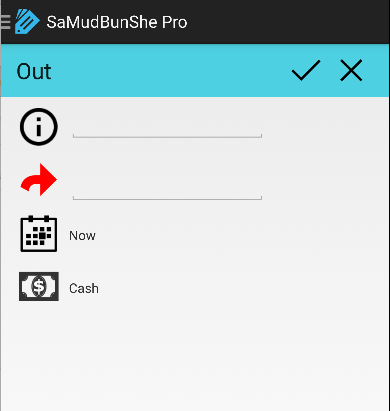
  1. Out screen
out_screen
You can enter the description, amount to pay, select date time you pay and what type of your payment
 
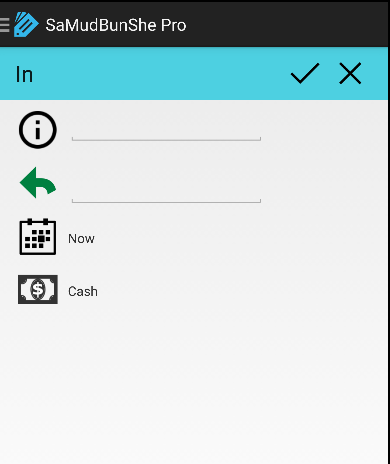
 2. In screen
in screen
Similar to Out screen, you can enter the description, amount to pay, select date time you pay and what type of your payment
 
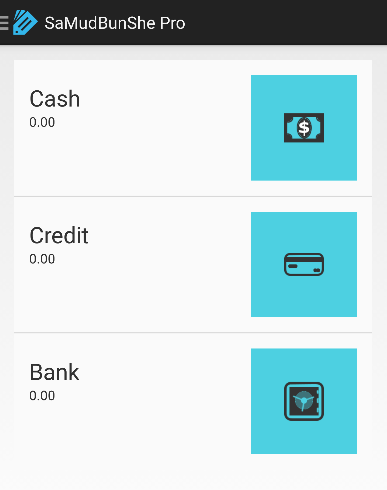
3. summary screen
 
summary_screen
This become main screen, you can see how your status easy with color. You can click for each on for details.
 
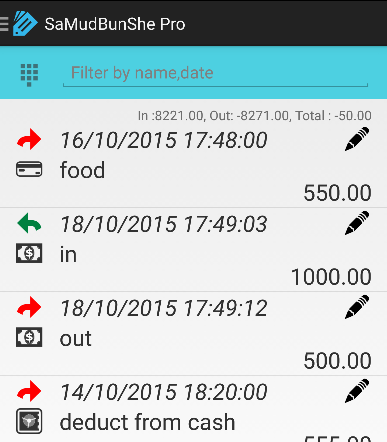
4. detail screen
detail_screen
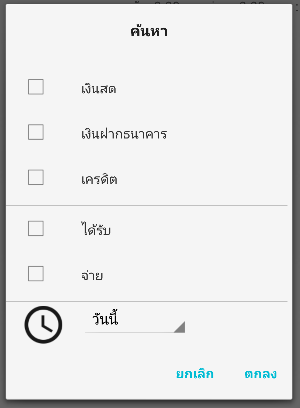
From this screen you can select filter, type the keyword you want to search for details.  you can choose filter on this screen.
filter_screen
 
5. edit screen
edit_screen
 
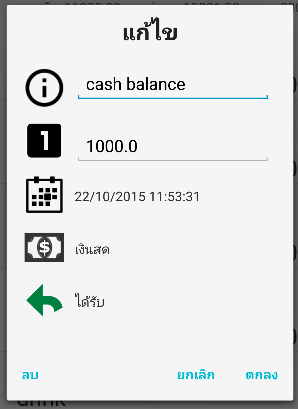
from detail screen, you can click to edit or delete your entry any time, you can change any information : description, amount, date time, type of payment or type of entry.
 
6. settings screen
setting_screen
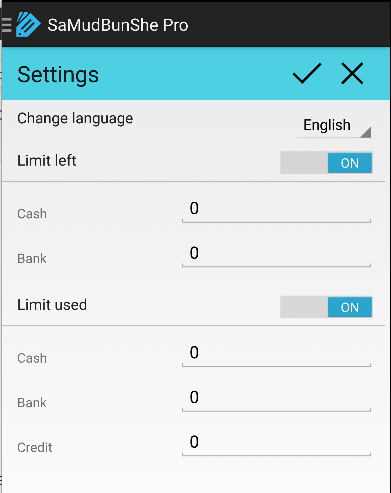
from here you can change the language of application, the limit of notification you want to show.
 
7. short cut screen
 
shortcut_screen
you can easier do the transaction with few clicks : withdraw money from bank, deposit cash to bank, paid credit card with cash, paid credit card with bank.
 
8. backup screen
backup_screen
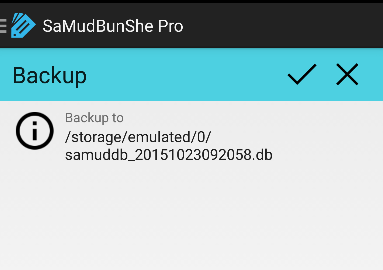
with this screen you can backup data to your local storage in your device.

9. restore screen
restore_screen
you can choose the backup file that you make the backup, and restore it as the current database.
 
You can update from your android update system or click it below.

SamudBunShe Pro version 2.9

Sunday, September 27, 2015

SamudBunShe Pro version 2.8

SamudBunShe Pro version 2.8 

SamudBunShe Pro version 2.8 is published today, In this version you can see default date is "now". It will save current date time while you record the data

Hope this functionality help you to have correct data.

You can update from your android update system or click it below.

SamudBunShe Pro version 2.8

Wednesday, September 23, 2015

SamudBunShe Pro version 2.7 new functionality shortcut

SamudBunShe Pro version 2.7 new functionality shortcut

SamudBunShe Pro version 2.7 is published today, this new functional "shortcut"
SamudBunShe Pro shortcut screen
With this new function, now you can easier to record your withdraw from bank, deposit cash to bank or paid credit card, just few step
to withdraw from bank
  1. put your amount
  2. check your date is correct? (if not change it)
  3. click on 'red arrow' after "withdraw cash from bank"
to deposit to bank
  1. put your amount
  2. check your date is correct? (if not change it)
  3. click on 'green arrow' after "deposit cash to bank"
to paid credit card
  1. put your amount
  2. check your date is correct? (if not change it)
  3. if you paid with cash, click on 'red arrow' after "with cash"
  4. if you paid with bank, click on 'red arrow' after "with bank"
When you do withdraw from bank, you will get the record created instantly in 1 step, like you do manually by this
  • out menu
    • fill bank out 
  • in menu
    • fill cash in
Hope you enjoy this shortcut functionality.

SamudBunShe Pro version 2.6

Tuesday, March 3, 2015

SamudBunShe Pro version 2.6

SamudBunShe Pro version 2.6 fixed problem about dialog date

Today SamudBunShe Pro version 2.6 is published. This version come with a patch to fix bug in date-time dialog.
You can do update from your android update system or click it link below.

SamudBunShe Pro version 2.6

Monday, January 19, 2015

SamudBunShe Pro version 2.5

SamudBunShe Pro version 2.5

A new version 2.5 is released, this new version is a patch to fixed problem about crash. The crash is report with android report bug function.
You can also update from your android update system or click it below.

SamudBunShe Pro new version 2.5